Minecraft on Rust: download and play with BLauncher
BLauncher can run Minecraft 26.3 on the Rustcraft engine — the game rewritten from Java in the Rust programming language. The engine is experimental: it starts faster, but mods don't work in it. Download the launcher, choose «Rust» as the game language and press «Play».
What is Minecraft on Rust
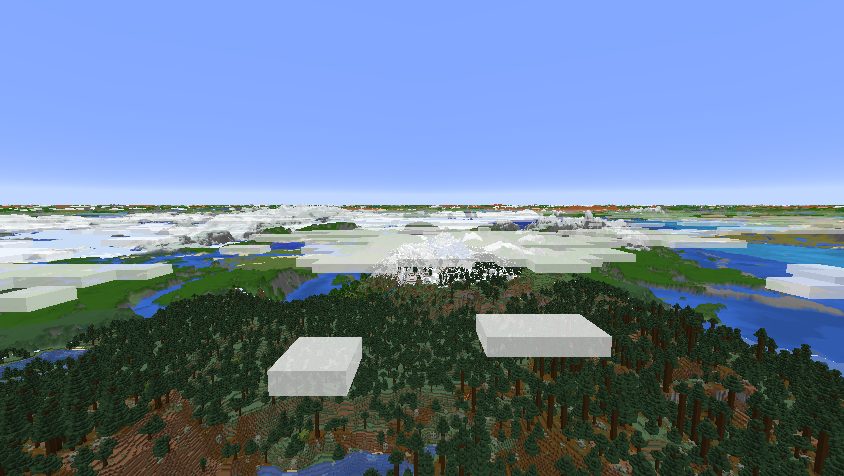
Regular Minecraft Java Edition is written in Java. Rustcraft is an open-source project that re-creates Minecraft 26.3 in Rust: its own engine, its own graphics through Vulkan or DirectX 12, no Java needed to play. The world, blocks, mobs and interface are the same as in the original 26.3.
The engine is built into BLauncher: we build it ourselves with fixes and host it on blauncher.ru, and the launcher downloads and updates it automatically. Nothing else to install.
How to download and play
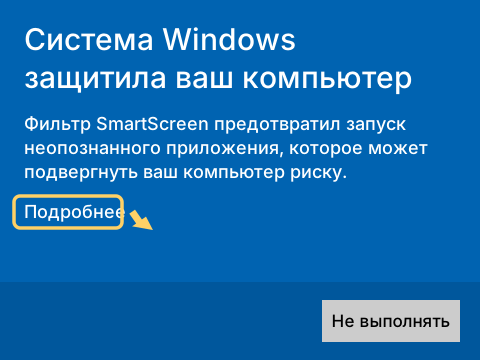
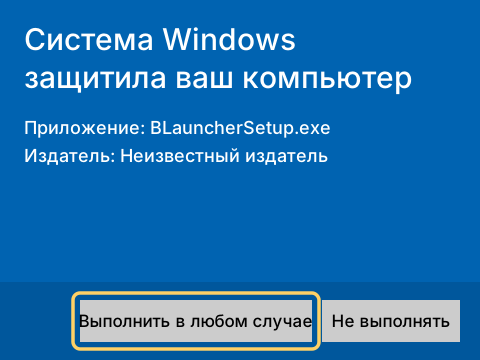
- Download BLauncher with the button above and install it. If Windows shows «Windows protected your PC», click «More info» → «Run anyway».
- On the launcher's home screen pick the «No mods or builds» card.
- In the «Game language» row choose «Rust» — the version switches to 26.3 by itself.
- Enter a nickname and press «Play». The first launch takes a few minutes: the launcher downloads the engine and Rustcraft prepares the game data once.
The launcher's interface is in Russian and English. The English translation is partial for now: main screens are translated, some pop-up messages are still in Russian.
System requirements
| System | Windows 10 or 11, 64-bit |
|---|---|
| Graphics card | with Vulkan or DirectX 12 support — almost any recent card or integrated graphics. For Intel integrated graphics the launcher turns on DirectX 12 by itself |
| Driver | an up-to-date graphics driver from the card maker's website. Without a driver the launcher runs the regular Java version |
| Internet | needed on first launch to download the game and the engine |
What works and what doesn't
- Works: single-player Minecraft 26.3, resource packs, playing with a nickname without a license.
- Doesn't work: Forge, Fabric and NeoForge mods, builds and other game versions — choose «Java» as the game language for those.
- The engine is experimental and may have bugs. If Rustcraft fails to start, the launcher switches back to Java and the game still opens.
Switching back is easy: choose «Java» on the same card. Your regular versions and builds stay as they were.
FAQ
Is this official Minecraft?
No. Rustcraft is an independent open-source project that rewrites Minecraft Java Edition 26.3 in Rust. It is not affiliated with Mojang or Microsoft. The game files themselves (textures, sounds) are downloaded from Mojang's servers, just like for the regular version.
Can I install mods?
No. Forge, Fabric and NeoForge mods are written in Java and don't load in Rustcraft. Resource packs work. For mods, choose «Java» as the game language or use a build.
Which Minecraft versions run on Rust?
Only 26.3 — the engine is written for it. All other versions run on regular Java.
What if the game on Rust won't start?
Update your graphics driver from the card maker's website and try again. If the engine fails to start, the launcher switches back to the regular Java version by itself, and without a graphics driver it starts Java right away.
Why is the first launch slow?
The first time, the launcher downloads the engine and Rustcraft prepares the game data from the 26.3 files once — this takes a few minutes. Later launches are fast.
Is it free?
Yes. BLauncher and Rustcraft are free. You can play with just a nickname, without a license.
Is Rust available on Android?
No. Rustcraft works in BLauncher for Windows 10 and 11 (64-bit). Android has only the regular Java version.
Minecraft is a trademark of Mojang AB. BLauncher and Rustcraft are not affiliated with Mojang or Microsoft. Not to be confused with the game Rust by Facepunch Studios — here Rust is the programming language.